Windows Tuning Suite
More frames.
Less latency.
The tune-up Windows never shipped. One click, and every change is reversible.
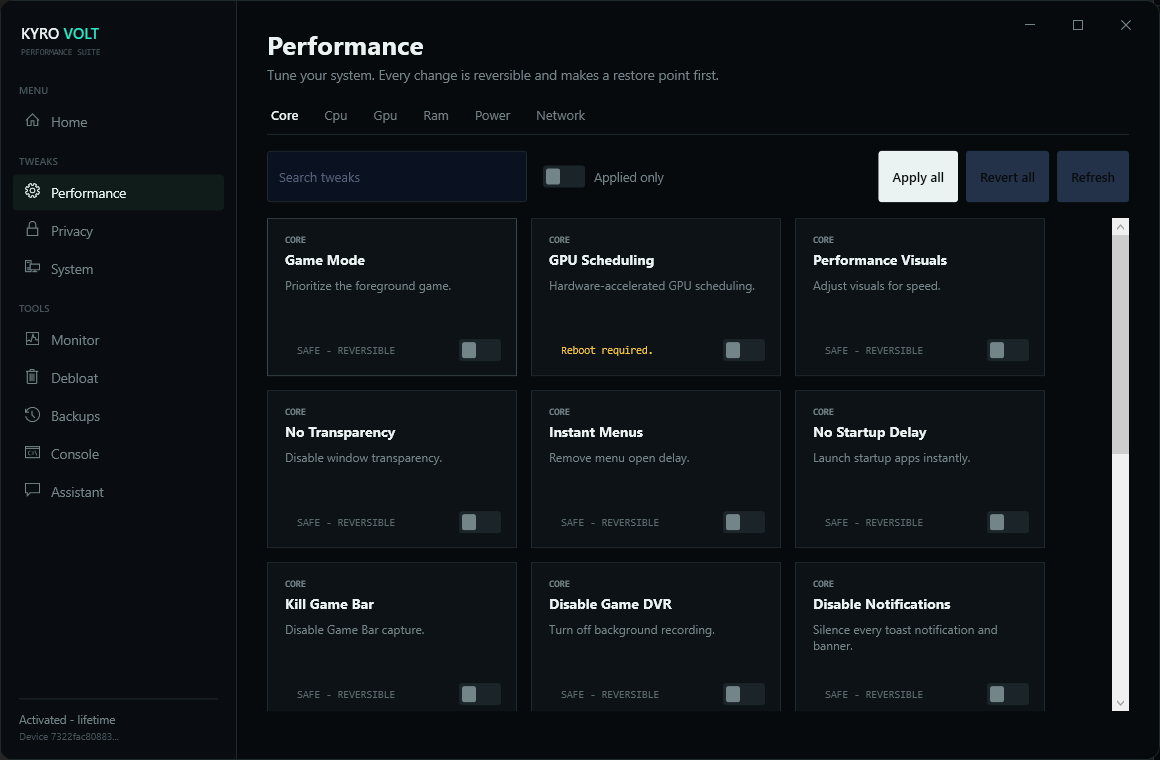
See the frames you paid for
More FPS, flatter frame times, lower latency. Apply a profile and watch the numbers move.
FPS, before and after
Illustrative live view. Flat and high means stable frames.
Frame time, lower is smoother
Illustrative. Lower and flatter means fewer stutters.
Everything you need to tune Windows
A focused toolkit. You see every change before it happens.
AI Advisor
Claude scans your exact machine and recommends the tweaks and apps that matter for your goal. You approve each change.
Lower latency, higher FPS
Network, input, scheduling, and power tweaks cut real milliseconds and free CPU and GPU headroom.
Debloat and clean
Strip background services, uninstall bloat, and cut startup items from inside the app, with a live console showing every change.
Fully reversible
Every change saves a restore point and its exact prior value. Roll back one tweak or all of them in one click.
No black boxes
Each tweak shows what it changes and why. A console logs the exact keys and commands so you know it is real, not cosmetic.
Always current
The tweak catalog lives on our servers. New tweaks and Windows fixes arrive automatically, no reinstall.
Up and running in minutes
Sign in and activate
Create your account with your email, then activate with the license key from your inbox.
Let the AI scan
The AI Advisor reads your hardware, apps, and Windows config and hands you a tuned plan.
Apply and verify
Apply tweaks with one click. Every change is logged in the console and reversible.
Pay your way, securely
Check out with PayPal or Cash App today. Every transaction is verified server-side before your license is issued.
You could do it by hand. Most people don't.
The tweaks are out there. Doing them safely, on your exact hardware, and undoing them when something breaks is the hard part. That is the whole product.
| How it compares | Doing it yourself | Generic tweak tools | Kyro Volt |
|---|---|---|---|
| One-click revert on every change | |||
| Makes a restore point first | |||
| Tuned to your exact GPU and CPU | |||
| New tweaks ship automatically | |||
| Real human support | |||
| Never touches anti-cheat | |||
| Setup in minutes, not hours |
Simple, honest pricing
Start with a trial or buy it for life. No hidden fees. Cancel any time.
Trial
Try the full suite before you commit.
- Full optimization suite
- One activation
- Reversible tweaks
- Community support
Monthly
PopularKeep tuning. Every update included.
- Everything in Trial
- Continuous updates
- Priority support queue
- Discord member role
Lifetime
Pay once. Keep it forever.
- Everything in Monthly
- Lifetime updates
- Lifetime Discord role
- No recurring billing
Need a hand choosing? Talk to support
Questions, answered
Which Windows versions work?
Kyro Volt runs on Windows 10 and 11, Home and Pro, on 64-bit systems.
What is the AI Advisor?
It scans your real machine and recommends which of the 300-plus tweaks and which apps to remove for your goal. It never changes anything on its own. It is included with your license, one scan per day.
How do I pay?
Pay with PayPal or Cash App. Crypto comes soon. You get your license after we verify the payment.
Is it safe?
Yes. Every change reverses. Kyro Volt saves a restore point before it applies anything, records the exact prior value, and never touches anti-cheat. You roll back any time.
Can I move my license to another PC?
Your license works on one device at a time. Deactivate it in your dashboard, then activate it on the new PC.